
Roster Management
The roster is the full list of players associated with your team. Dugout Master supports multiple roster views depending on your needs.
Roster views
Section titled “Roster views”| View | Description |
|---|---|
| Team Roster | All players ever added to the team |
| Competition Roster | Players assigned to a specific competition |
| Club Roster | Every player across all teams in your club, in one view (Elite feature) |
Club Roster
Section titled “Club Roster”Club Roster isn’t a separate pool of players — it’s a live aggregate of every player who belongs to any team you coach in the club. There’s no explicit “move to club roster” step: a player shows up automatically the moment they’re added to a team, and each card shows chips for which team(s) they’re on. To move a player between teams, add or remove them from a given team’s roster on their player profile.
Tryout candidates
Section titled “Tryout candidates”Players who register for one of your tryouts become candidates, listed under Events → Candidates rather than on a roster. Once you’ve decided on a candidate, draft them straight onto a team roster — no need to re-enter their information — and they keep their tryout history, registration answers and metrics on their profile. See Tryouts: evaluations and drafting.
Competition rosters
Section titled “Competition rosters”A competition roster is a subset of your team roster. When you create a competition, you assign players to it. Only competition roster players appear in game lineups for games within that competition.
This lets you handle common scenarios like:
- Mid-season additions or departures
- Players who move between age groups
- Year-over-year roster changes without losing history
Adding a player to a competition
Section titled “Adding a player to a competition”- Go to Roster → Competition Roster
- Tap Manage Roster
- Add or remove players for the selected competition
Filtering the roster
Section titled “Filtering the roster”Every roster view has a filter sidebar: search by name, filter by handedness or position, and sort. Position filtering includes quick presets — All, Infield, Outfield, Battery, Bench — alongside individual position badges.
Bulk actions
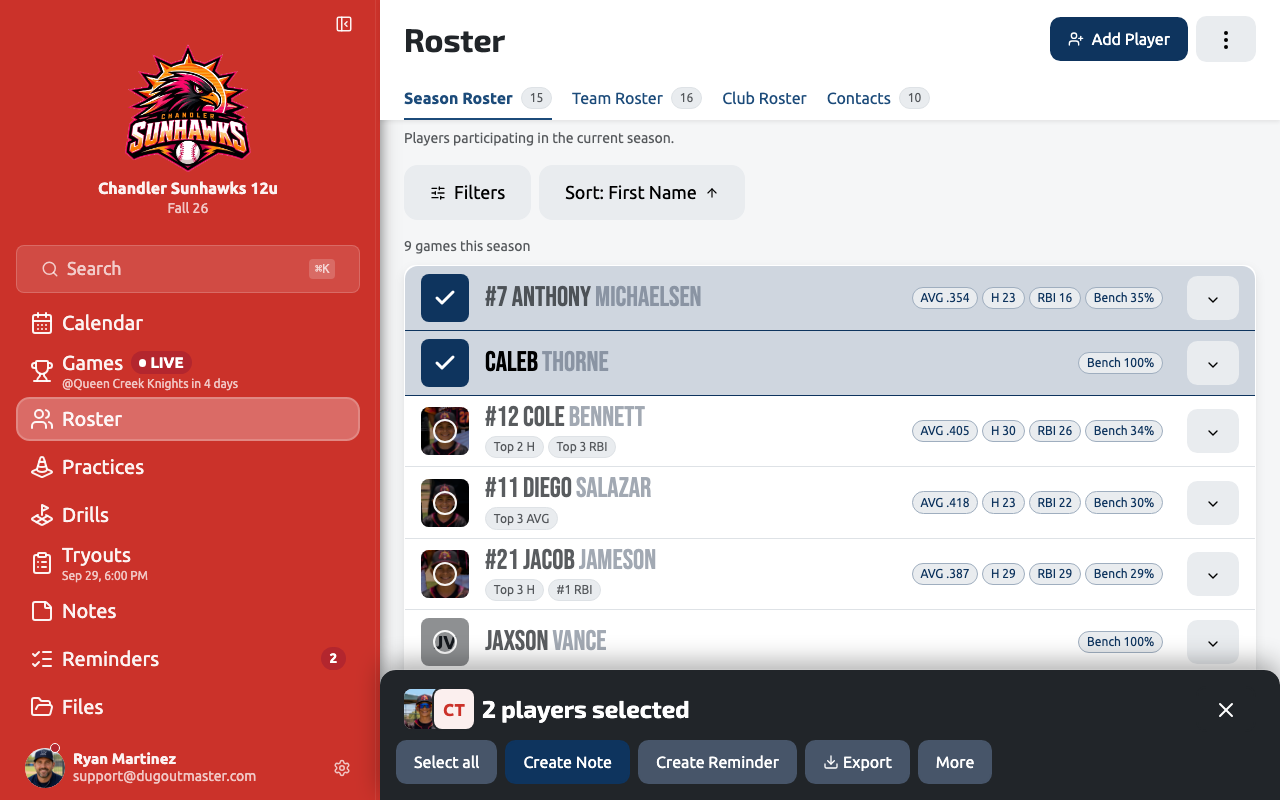
Section titled “Bulk actions”Tap a player’s avatar on any roster view to select them, then select more players the same way. Once you have a selection, a bulk actions bar slides up from the bottom of the screen and stays pinned there — even on long rosters — so you can:
- Remove the selection from the current competition roster
- Delete the selected players
- Export the selection to CSV or PDF
- Add a note to every selected player at once
Player photos
Section titled “Player photos”A player with a photo is easier to pick out at a glance on the lineup board and the field diagram — especially mid-inning, when you don’t have time to read names. Add photos one at a time from a player’s profile, or use Team Photo Import to upload a single team picture and assign faces to your whole roster in one pass.
Importing and exporting players
Section titled “Importing and exporting players”See Adding Players for manual entry and GameChanger CSV import instructions, and Roster Import & Export for pasting a player list and exporting to CSV or PDF.