
Roster Import & Export
Pasting a list of players
Section titled “Pasting a list of players”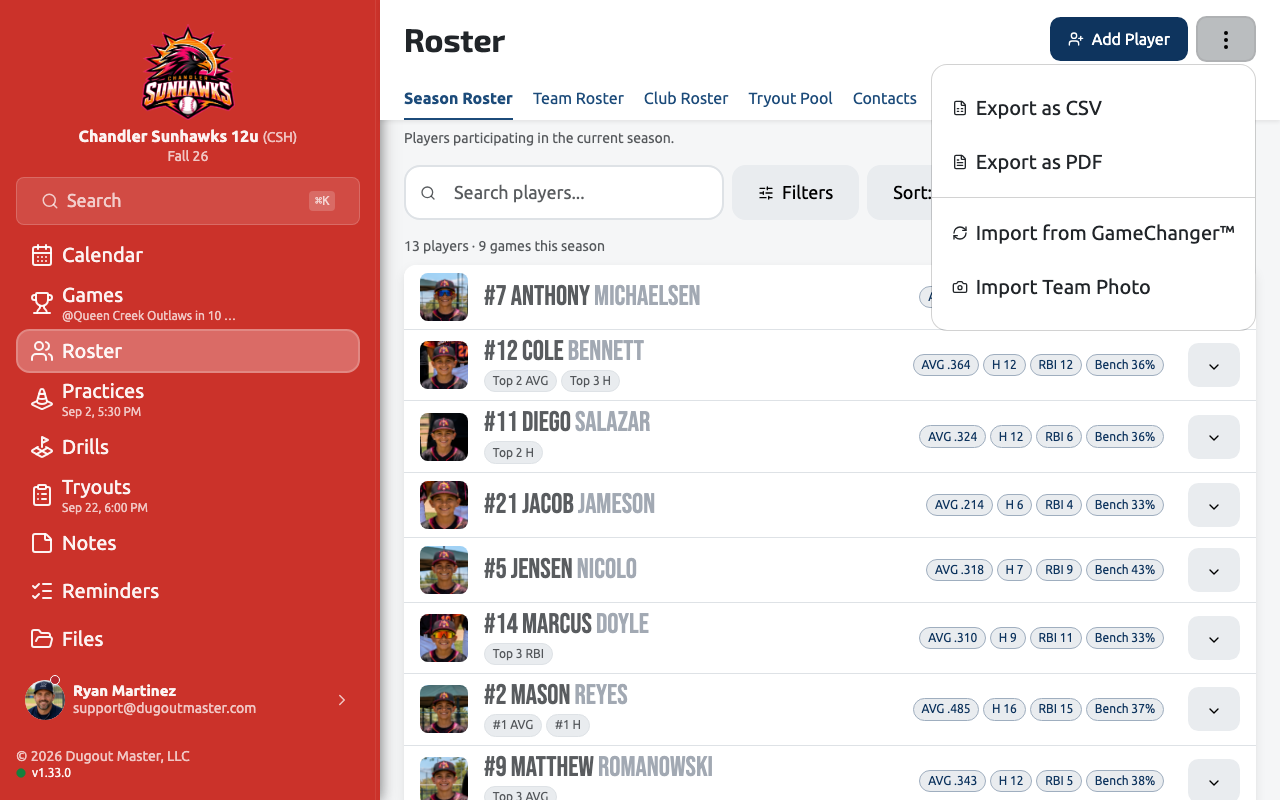
Instead of adding players one at a time, you can paste a plain list — one player per line (e.g. “John Smith”) — and Dugout Master splits each line into a first and last name. A live count shows how many players will be added. An Insert sample players link is available if you want to try it out first.
Players added this way start with no jersey number, positions, birth date, or photo — fill those in later from each player’s profile.
Exporting your roster
Section titled “Exporting your roster”From any roster tab (Team, Competition or Club — and Events → Candidates), open the ··· menu and choose Export as CSV or Export as PDF.
- The export reflects whatever is currently filtered and sorted on screen — export after narrowing the list to just what you need.
- Included columns: player name, jersey number, positions, bats/throws, birth date, and primary contact name/email/phone.
- Club Roster exports add a Teams column.
- Competition, Club, and Candidates exports can include a Bench % column where bench-fairness data is available.
- PDF exports also include your team name and logo.