
Game Viewer & Printing
Every view of a game can be printed straight from the Game Workspace — there’s no separate screen to visit first. Anyone with access to your team can open a game and print it — for example a coach on the roster, or a parent you’ve invited.
Sharing the game live
Section titled “Sharing the game live”Share Game, in the game’s ⋮ menu, creates a public link — no account or app required — that shows the game’s lineup and status exactly as it stands, updating live as you make changes. This is the answer to “how do I put the game where the parents and the rest of the staff can watch”: open the link on a tablet propped in the dugout, cast it to a TV, or just text it to whoever’s not on the bench. It’s a Pro feature, and the link can be turned off from the same drawer whenever you want to stop sharing it.
Sharing a lineup card
Section titled “Sharing a lineup card”Share Lineup, next to Share Game in the ⋮ menu, generates a shareable graphic of the batting order and positions in a choice of formats — built from the same lineup a coach on the field is looking at, so there’s nothing to keep in sync by hand. Also a Pro feature.
Printing a view
Section titled “Printing a view”- Switch the toolbar to the view you want to print — Field, Players, Positions, or Game Plan.
- Open the
⋮menu and choose Print, or use your browser’s own print command (⌘P on a Mac, Ctrl+P elsewhere). Both do the same thing.
Whatever view is on screen is what prints. Your browser’s print dialog opens with the view laid out for paper — the toolbar, menus and on-screen controls are left off, and the sheet gets a header, a footer and a QR code. Nothing on screen changes, and cancelling the dialog leaves the game exactly as it was. Full-game views print in landscape; the single-inning Field view prints in portrait.
| View | Shows |
|---|---|
| Players | Full-game matrix: one row per player, one column per inning, with their position each inning. |
| Positions | One row per position/bench slot, one column per inning, showing who held it. |
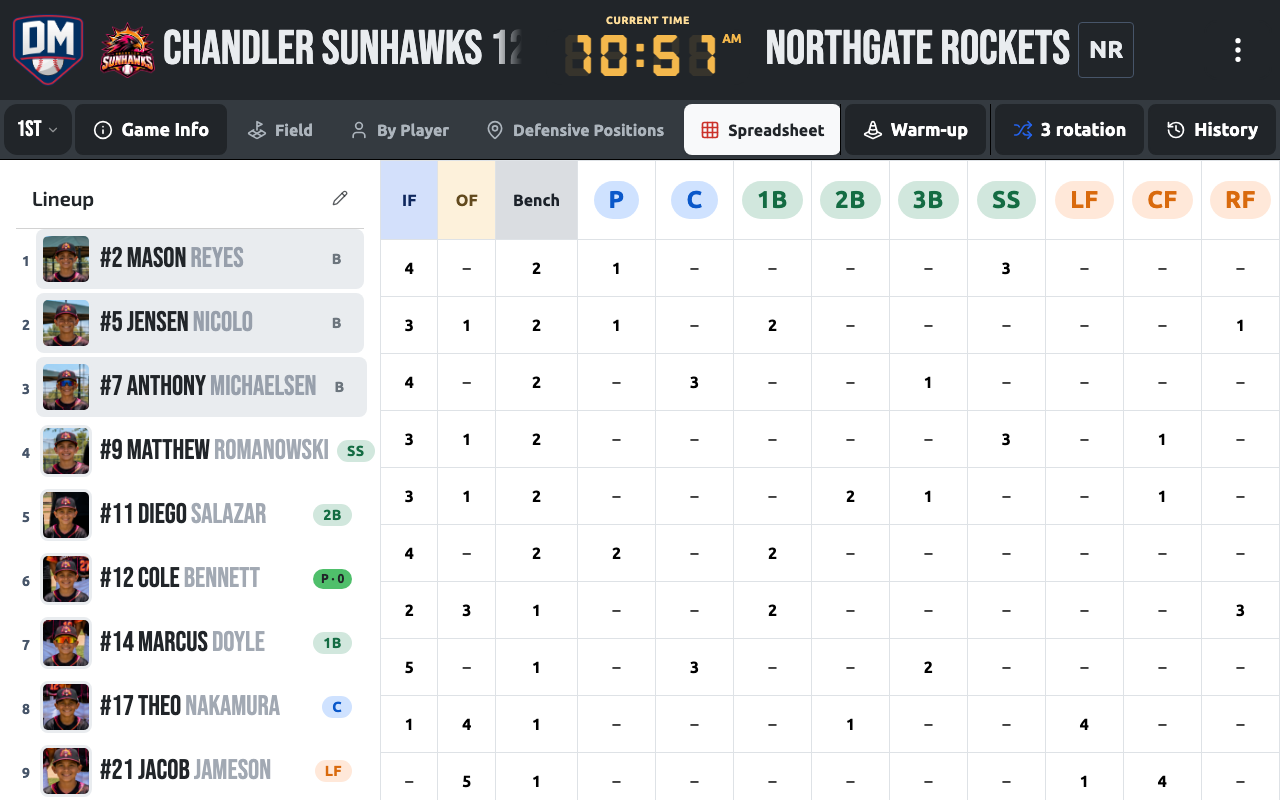
| Game Plan | Batting order plus a player × inning matrix of every defensive assignment for the whole game, with the bench listed inning by inning. Position abbreviations include LF/LCF/RCF/RF for four-outfielder fields. Available on phones as well as tablet and desktop — the only full-game view that is. |
| Field Diagram | The visual field diagram plus batting order for a single inning. |
Use the inning selector on any full-game view (Players, Positions, Game Plan) to fade in a highlight on the current inning’s column — All innings is the default. Field Diagram always shows one inning at a time, so its toolbar shows Previous/Next-inning arrows instead.
Printing
Section titled “Printing”Every printout includes:
- Team name, matchup, date/time, location, and competition
- The selected view’s content
- A blank Notes section for writing on the paper copy — except Game Plan, which is a reference sheet and skips it
- A QR code that reopens the same view of the game — scan a printed sheet to pull it back up on a phone
Download PDF
Section titled “Download PDF”Game Plan also has a Download PDF button next to Print (on a phone, both live in a ⋮ dropdown within the view). It saves a landscape PDF of the same batting order and defensive matrix — no print dialog, no paper required — named Team-Opponent-YYYY-MM-DD-game-plan.pdf.