
Competition Schedule
Every competition has its own schedule (competitions were formerly called seasons), built from games, practices, and events (tryouts, clinics, camps and the rest). Tap the competition name at the top of the page to switch competitions, and use Schedule to add a new game, practice, or tryout without leaving the page.
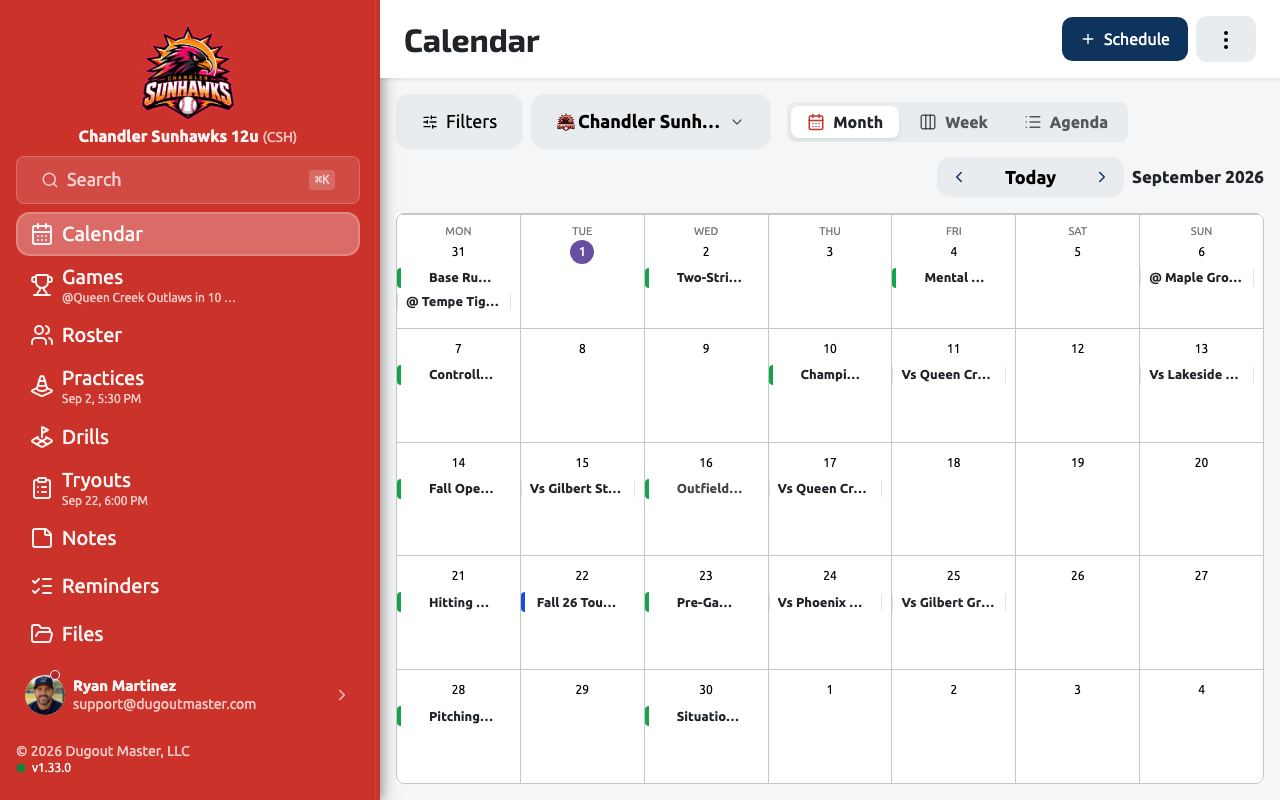
Four ways to see a competition
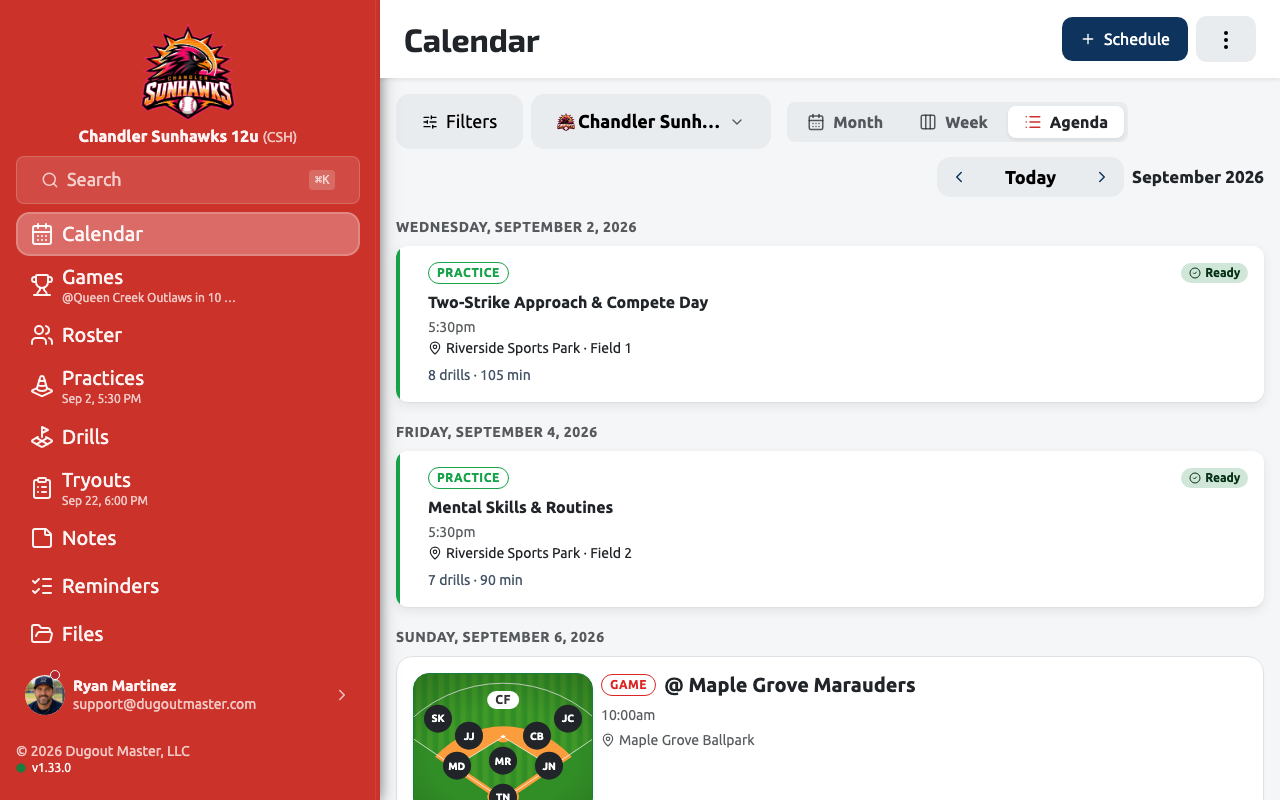
Section titled “Four ways to see a competition”A view bar lets you switch between four calendar views, and remembers whichever one you picked last:
| View | Best for |
|---|---|
| Month | A full month at a glance |
| Week | A single week in more detail |
| Agenda | A scrollable list of everything coming up |
| Season | The whole competition in one continuous view |
What shows on the calendar
Section titled “What shows on the calendar”- Games show the opponent, home/away side, and start time — plus the result once it’s recorded.
- Player absences show the player’s photo and the reason they’re unavailable.
- Practices and events are icon-led, so you can tell what kind of item they are before you tap in.