
Defensive Positions
Defensive positions determine where each player stands on the field for a given inning. Unlike the batting order, positions are set per inning so you can rotate players throughout the game.
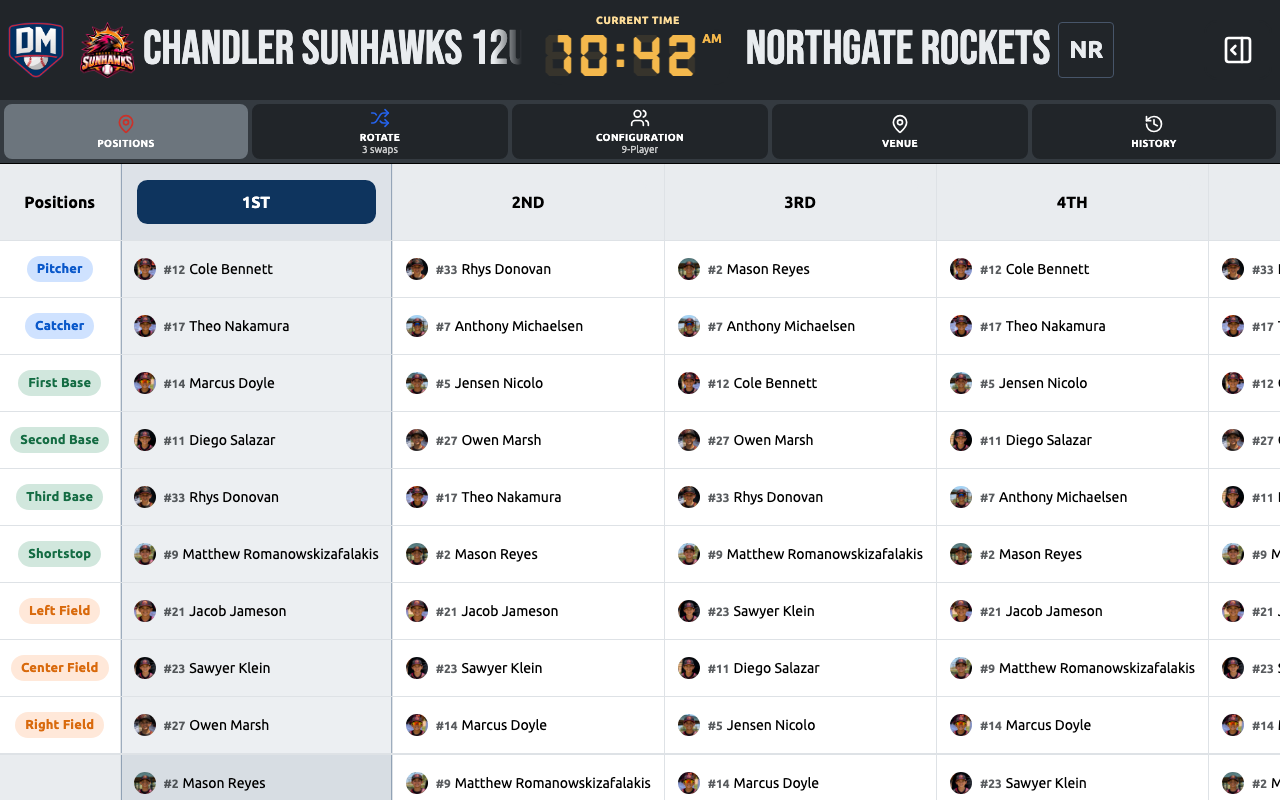
Assigning a position
Section titled “Assigning a position”- On the lineup board, tap a position slot on the field diagram (e.g., SS, CF)
- The player rail highlights. Tap a player to assign them to that slot
- The position slot updates with the player’s name and photo
Alternatively, tap a player first, then tap a position slot to assign them.
Clearing a position
Section titled “Clearing a position”Tap a filled position slot and choose Clear to remove the player from that slot. They return to the unassigned pool.
Duplicate assignments
Section titled “Duplicate assignments”If the same player is assigned to two positions in the same inning, the inning card shows an error indicator. Dugout Master prevents this on the field diagram but can detect it if data was entered another way.
Position presets
Section titled “Position presets”You can save a specific defensive arrangement as a Position Preset and load it into any inning with one tap. This is useful for teams that rotate through a fixed set of formations.
Support positions
Section titled “Support positions”In addition to field positions, you can assign players to support slots like Dugout, Bullpen, and Warm-up. These track where players are without placing them on the field.