
Inning Management
Each inning on the lineup board has its own defensive assignments and bench. The batting order is shared across all innings.
Jumping to an inning
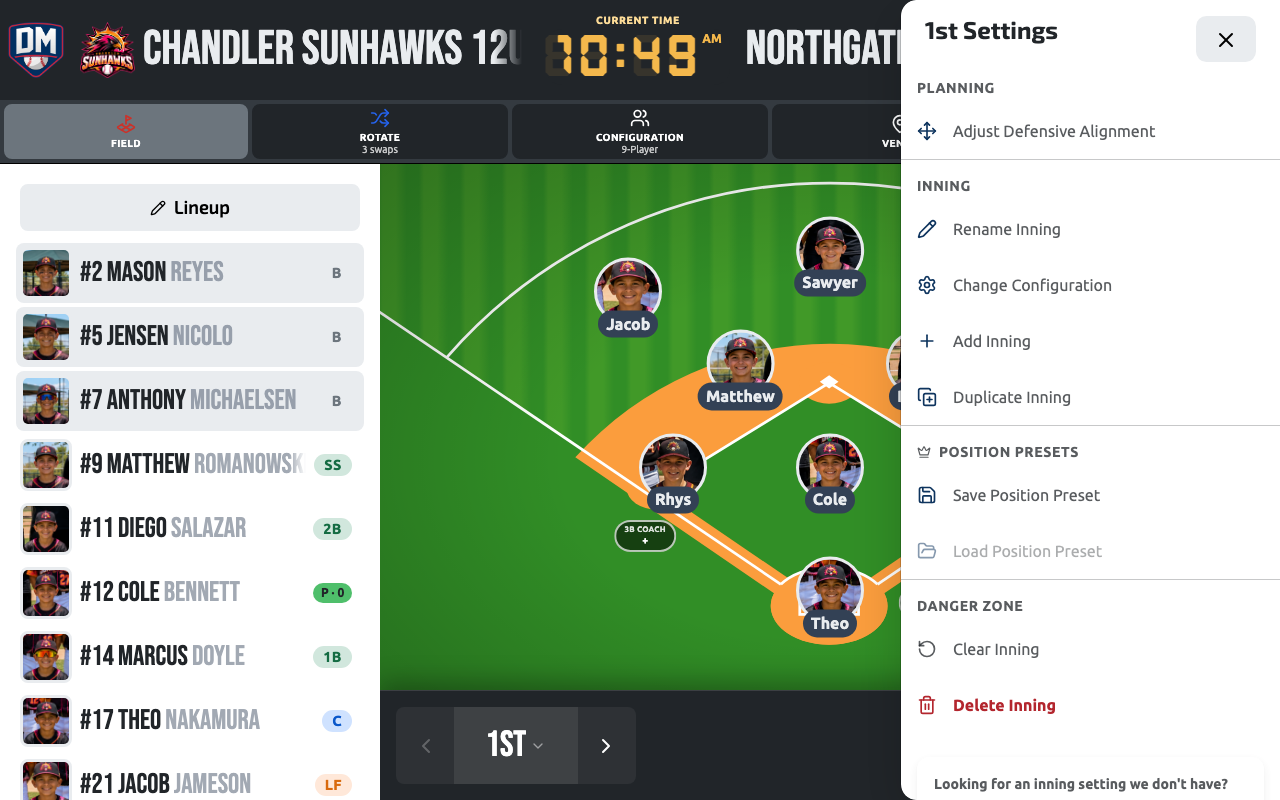
Section titled “Jumping to an inning”Tap the current inning’s label in the game header to open Select Inning — a list of every inning in the game. Tap any other inning in the list to go straight to it; you don’t have to step through innings one at a time. Tapping the inning you’re already on opens that inning’s settings instead, since there’s nowhere left to jump to.
Adding an inning
Section titled “Adding an inning”Tap Add Inning on the innings rail. You can choose to:
| Option | Description |
|---|---|
| Empty inning | A blank slate — assign positions manually |
| Auto-fill | Dugout Master suggests positions and bench based on fair rotation |
| From preset | Load a saved position preset into the new inning |
Auto-fill
Section titled “Auto-fill”The auto-fill feature uses the batting order and previous inning assignments to:
- Select which players sit the bench (balancing bench time fairly)
- Assign remaining players to field positions
Reordering innings
Section titled “Reordering innings”The innings rail is its own editor. Tap ✎ Inning at the top of the rail (or in the header of the inning picker on a phone) to enter edit mode: a drag handle appears on the left of every inning. Drag an inning up or down to move it — the new order saves as soon as you drop it, and it syncs to every device on the game. Tap ✓ Done to leave edit mode.
While editing, everything else on the rail keeps working: tap an inning to go to it, use its gear to change its settings, or add a new inning and drag it straight into place. The inning you were on stays selected however far you move it.
Removing an inning
Section titled “Removing an inning”Long-press an inning on the rail and choose Delete, or use the inning settings gear. You cannot delete the last remaining inning.
Inning status indicators
Section titled “Inning status indicators”Each inning card shows a status chip:
| Status | Meaning |
|---|---|
| Not started | No players assigned |
| X/Y (warning) | Some positions filled, others empty |
| Full (success) | All positions assigned |
| Error | Duplicate player detected |
Per-inning field configuration
Section titled “Per-inning field configuration”You can override the field configuration for a single inning. Tap the gear icon on the inning card and select a different layout.