
Player Metrics
Dugout Master can track standardized athletic testing numbers for each player over time — useful for tryouts and for measuring development across a season.
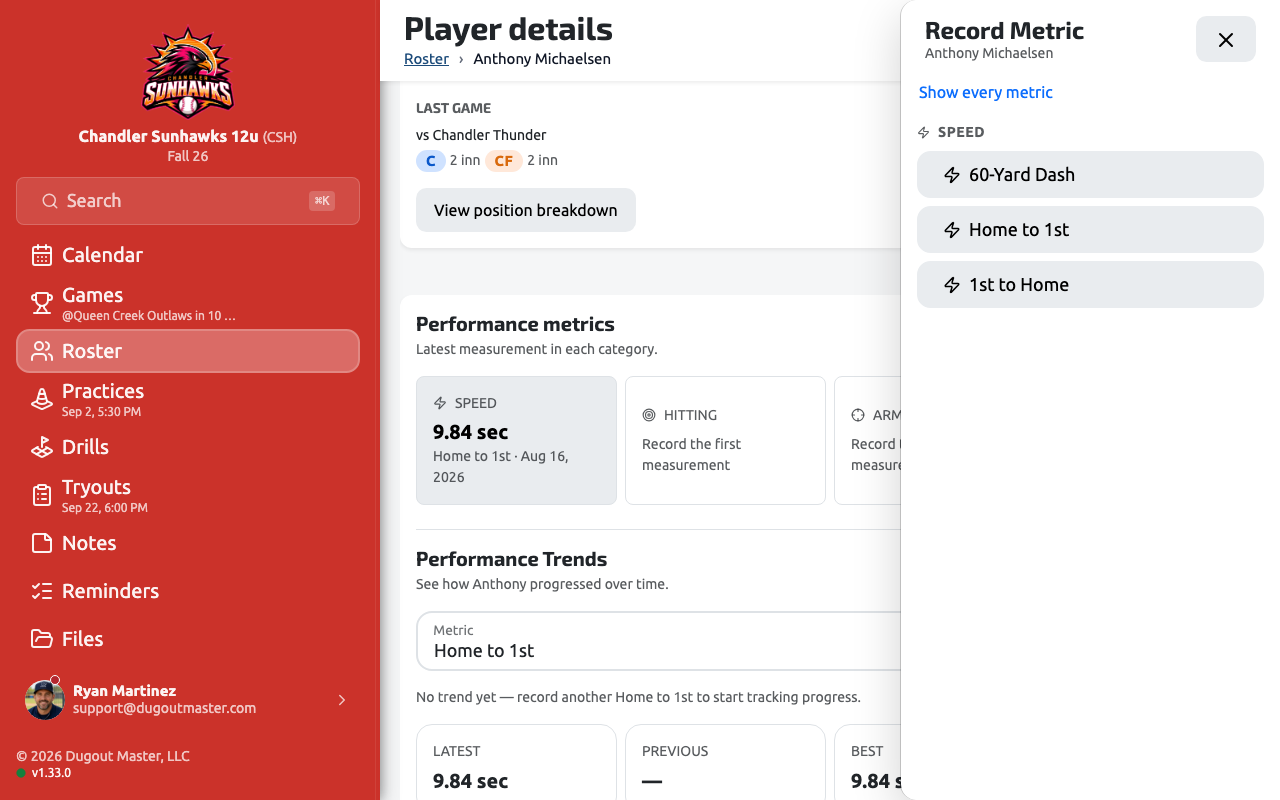
Tracked metrics
Section titled “Tracked metrics”| Family | Metrics |
|---|---|
| Speed | 60-Yard Dash, Home to 1st (both in seconds — lower is better) |
| Hitting | Exit Velocity, Bat Speed (mph — higher is better) |
| Arm | Throwing Velocity, Pitch Velocity (mph — higher is better) |
| Physical | Height, Weight (no better/worse direction) |
Recording a metric
Section titled “Recording a metric”From a player’s page, tap Record Metric (also available in the ··· menu). Pick a metric from the family picker, then fill in the value.
- For 60-Yard Dash and Home to 1st, a built-in stopwatch lets you start/stop a live timer during a drill instead of entering a number by hand.
- The form shows the player’s current best for context, and flags a New PR as soon as your entry would beat it.
- Each metric has a valid range (e.g. exit velocity 5–120 mph, 60-yard dash 3–25 seconds) and the recorded date can’t be in the future.
Viewing trends
Section titled “Viewing trends”The player’s page has two metric sections:
- Performance Metrics — the latest value per metric, grouped by family, with a trend indicator.
- Performance Trends — pick a metric to see a trend line, Latest / Previous / Best / Change stat tiles, and a history list of the 10 most recent entries. Entries recorded during a tryout evaluation are tagged · Tryout.