
Creating Your First Game
A game in Dugout Master is where your lineup lives. You can create games in advance and build the lineup whenever you’re ready.
-
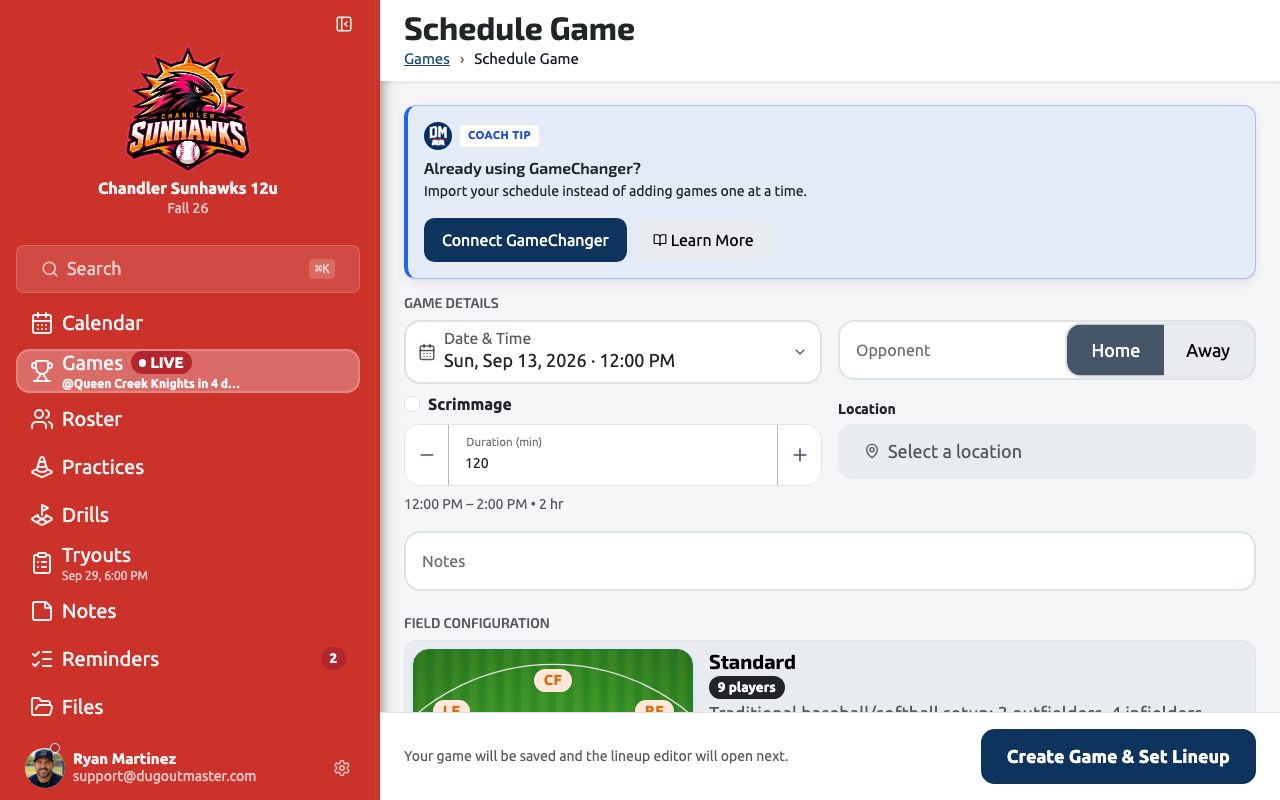
From your team dashboard, tap Schedule Game or the + button in the Games section.
-
Enter the opponent name. This appears in the scoreboard header during the game.
-
Set the date and time.
-
Choose Home or Away. This affects the display order in the scoreboard.
-
Select a competition (optional but recommended). Competitions let you group games and track your record over time.
-
Pick a field configuration. This determines which defensive positions are available on the lineup board. Common options:
- Standard (9 positions)
- 10-player
- Reduced (e.g., 6v6 rec league)
-
Tap Save Game.
Scrimmage vs. official game
Section titled “Scrimmage vs. official game”Toggle the Scrimmage option if the game doesn’t count toward your competition record. Scrimmages are tracked separately and excluded from standings calculations.
What’s next?
Section titled “What’s next?”With a game created, open it and start Building Your First Lineup.