
Game History & Undo/Redo
Undo and Redo, plus a full Game History panel, are combined into one control in the game header — reachable from the Game Day Command Bar on every view.
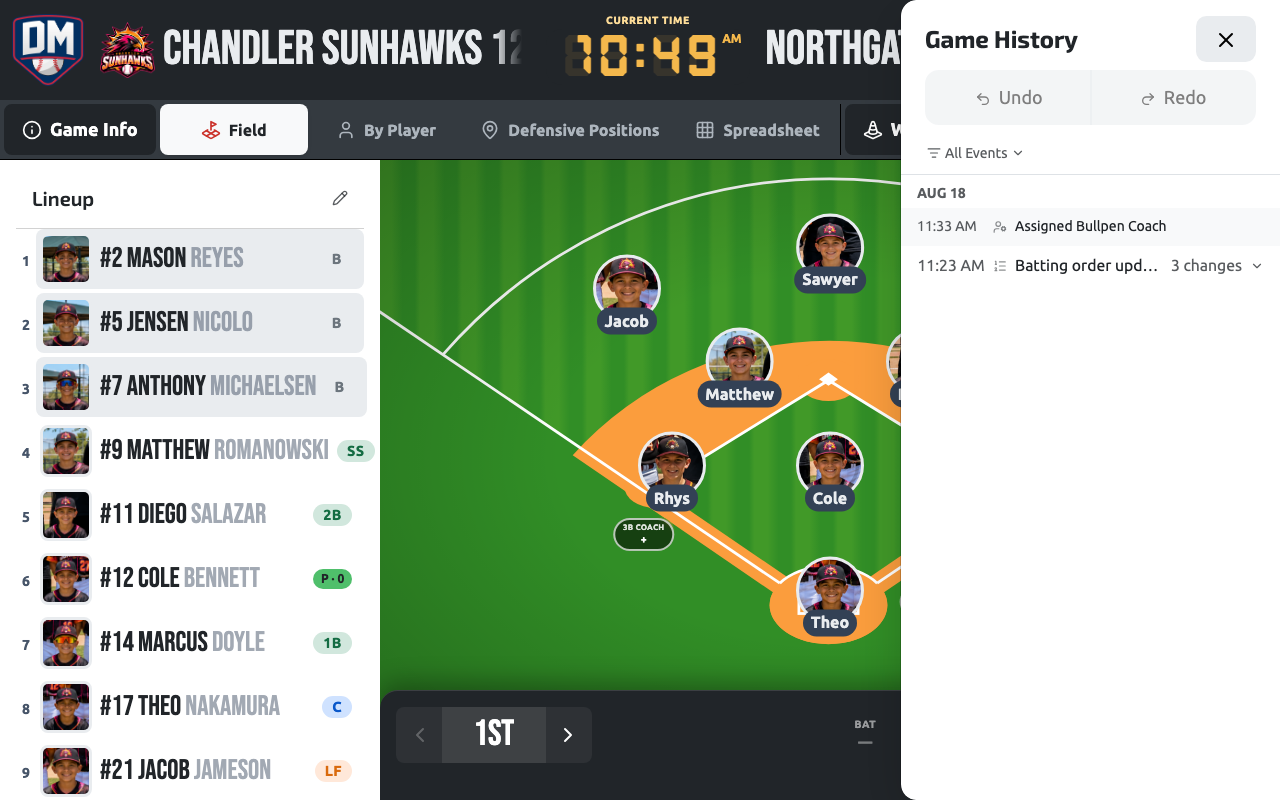
Undo and redo
Section titled “Undo and redo”One tap reverses your last action; Redo puts it back. Undo only ever affects changes you made yourself — it never reverses another coach’s change, even if you’re both working the same game live.
Game History panel
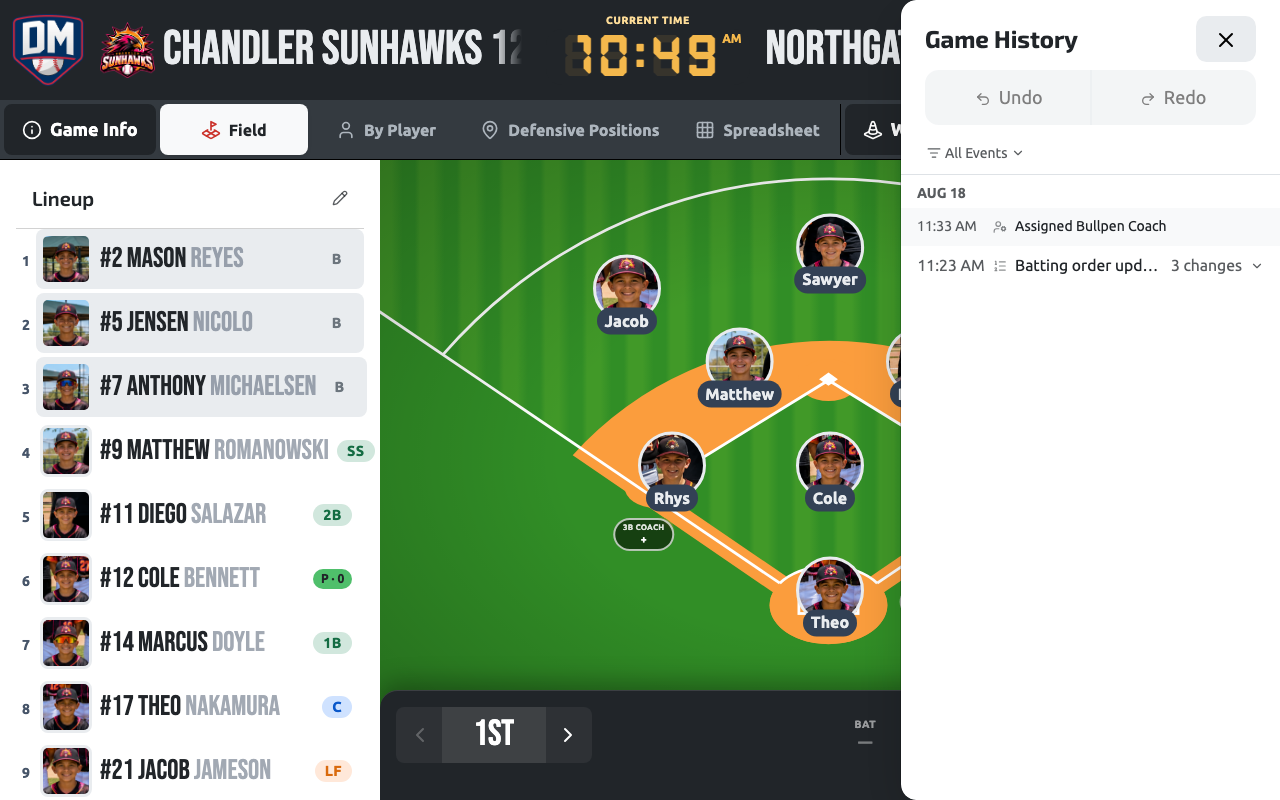
Section titled “Game History panel”The Game History panel shows everything that’s happened in a game — every lineup, defense, and bench change, who made it, and when. It opens as a full side panel, with Undo and Redo pinned to the top while the timeline scrolls below.
A run of related changes collapses into a single row instead of listing every micro-step separately, and player avatars with position badges replace prose descriptions so a row reads at a glance. You can filter the timeline down to just player moves, batting order changes, inning changes, or game events.
Replay
Section titled “Replay”Once a game is finished, Replay rebuilds it from the same history log — a scrubber you can play, pause, step forward or back one event at a time, or speed up (1×, 2×, 4×). It dwells a little longer on the bigger moments instead of racing through every micro-step at the same pace. Replay is read-only: it’s a way to watch a game back, not to change anything about it.
Open it from Replay on the game’s card in your games list, or from the game’s ··· menu once the game has ended.