
Game Notes
You can keep notes tied to a specific game — postgame observations, things to work on, or anything worth remembering next time you face the same opponent.
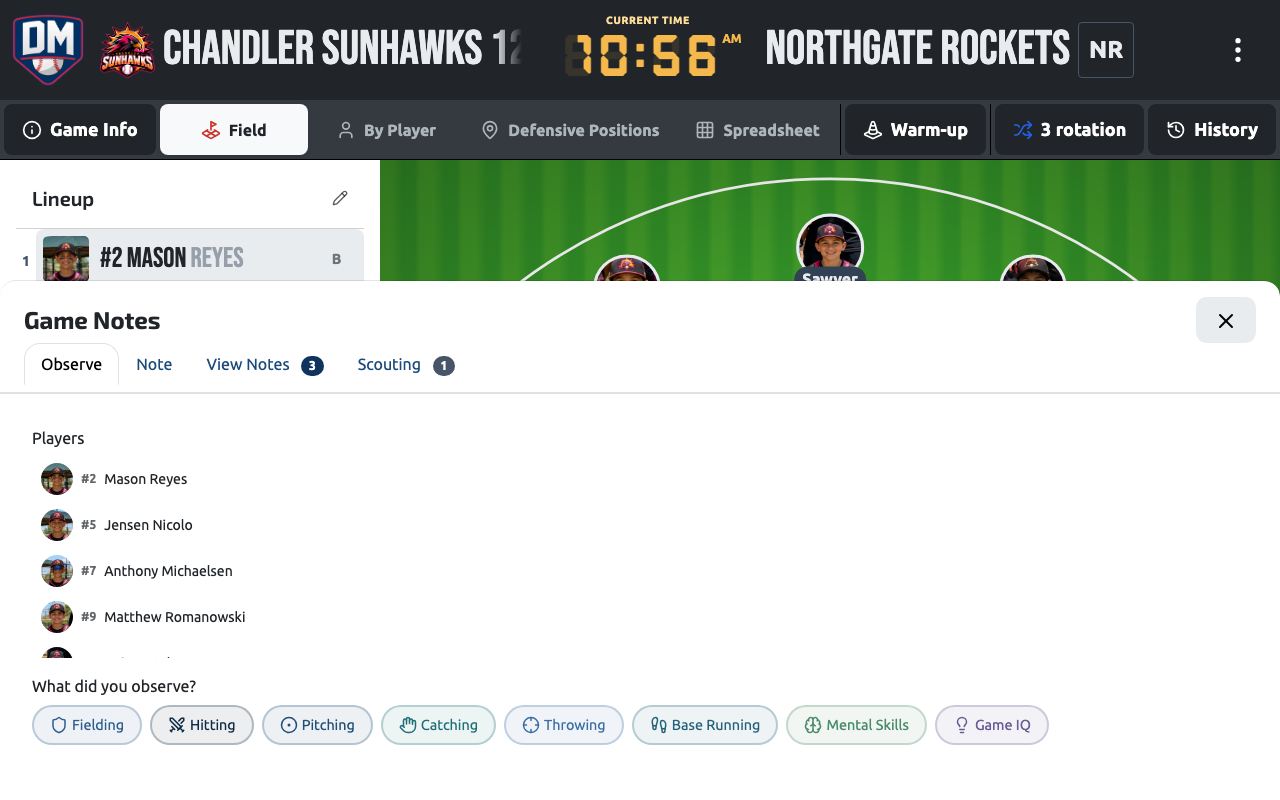
Adding a note
Section titled “Adding a note”Tap the Add Note button on the field to open Game Notes. Everything is on one panel:
- The note — type what you saw, or tap Record to say it instead.
- Players — tap anyone the note is about. Optional, and you can pick more than one.
- Observation — tap a skill (Fielding, Hitting, Pitching, Catching, Throwing, Base Running, Mental Skills, Game IQ) to see quick tags for it, then tap the ones that apply. Tap the skill again to close it.
Then tap Add Note. You can use any mix of the three — a note doesn’t need words. During a live inning the fastest way to capture something is three taps: a player, a skill, a tag.
Observation tags
Section titled “Observation tags”Tags are colour-coded by what they mean, so you can read a list at a glance: green for something done well, yellow and amber for things to work on, blue for context such as positioning. A selected tag also shows a checkmark.
Tagged notes feed each player’s development history, so the quick taps you make during games add up to a picture of where a player is strong and where they need reps.
Tagging players
Section titled “Tagging players”Tagging a player makes the note show up on that player’s page too, so you can review it later from either the game or the player. Players come from the game’s batting order.
Photos and attachments
Section titled “Photos and attachments”Open the ⋮ menu next to the close button to add an attachment:
- Take Photo — opens your device’s camera. Check the preview, then Use Photo or Retake. On a computer without a camera this opens a file chooser instead.
- Upload New — add a file from your device.
- Choose from Files — attach something already in your team’s Files.
A photo is saved to the game as soon as you tap Use Photo. If you were in the middle of writing a note, it’s attached to that note as well when you tap Add Note.
Recent activity
Section titled “Recent activity”Once a game has notes, they appear under Recent Activity with the players, skill, tags, your words, who wrote it and when. Attachments get their own section below. Neither section shows until there’s something in it.
Visibility
Section titled “Visibility”Notes are shared with every coach on the team — anyone with access to the game can see and read them.
Competition
Section titled “Competition”A game note automatically inherits the game’s competition. There’s no separate competition picker to fill in.