
Reminders
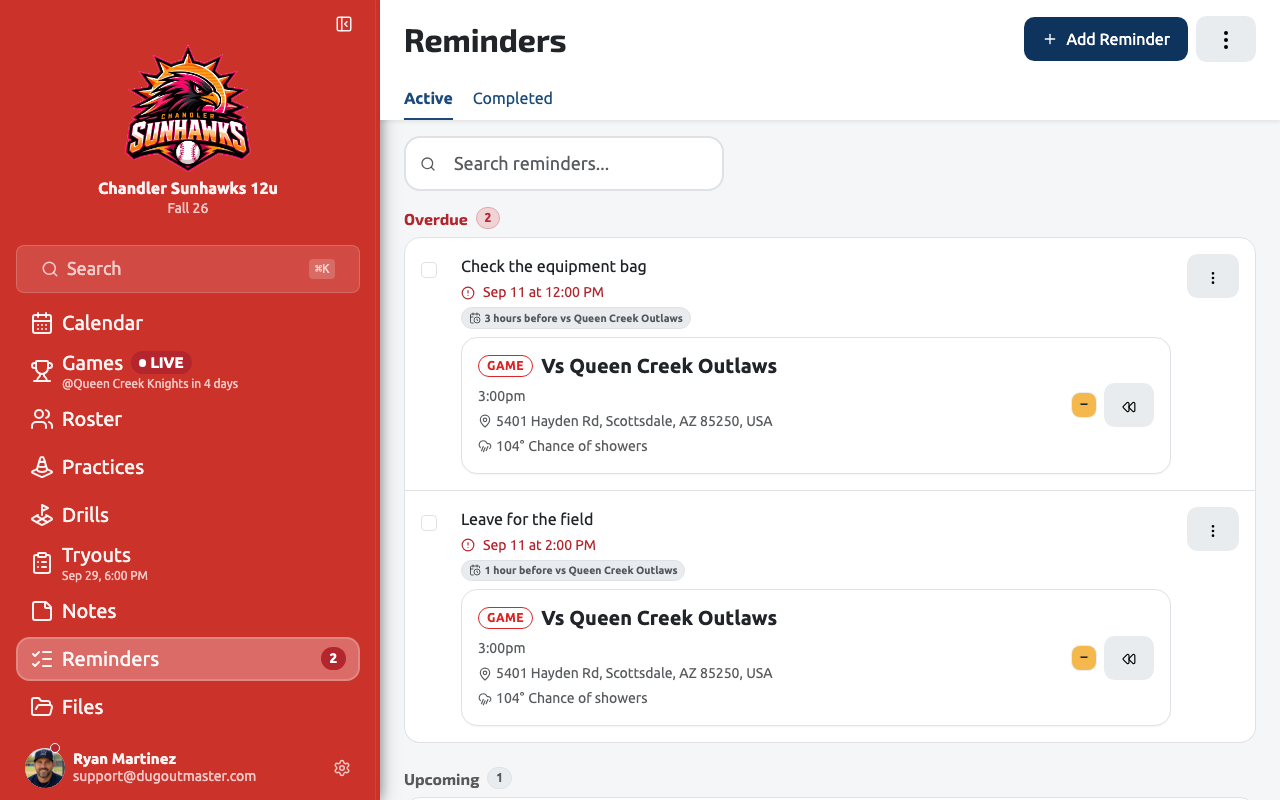
Reminders are the little things you need to remember before, during, or after the season — confirm the field, send the lineup to parents, follow up with a parent about a player — tracked in one place instead of scattered across texts and sticky notes. A reminder is due either on a date you pick or relative to something already on your schedule, so “1 day before Saturday’s game” keeps moving if the game gets rescheduled.
Creating a reminder
Section titled “Creating a reminder”Tap Add Reminder from the Reminders page, or from any contextual entry point in the app (a game’s menu, for example) — it’s the same form either way, just pre-filled with whatever you arrived from. Set:
- What needs doing — the reminder’s title.
- When it’s due — either On a date (a specific day and time, optionally repeating daily, weekly, or monthly), or Around an event — an amount of time before or after a game, practice, or evaluation, either a specific one or “every game” going forward.
- Assigned to — anyone on your coaching staff, or left as “Anyone on the staff.”
- Also notify me by — Push and/or Email, in addition to the in-app list, which every reminder always appears in regardless of channel settings.
- Related to — optionally link the reminder to the games, practices, evaluations, or players it’s about; scheduling it around an event links that event automatically.
Templates
Section titled “Templates”Apply Template on the Reminders page runs a built-in routine of several reminders at once around one event — Game Day Preparation, Practice Preparation, Evaluation Day, or Tournament Weekend. Pick the game or practice it’s for and every reminder in the routine is created already scheduled relative to it; edit or delete any of them afterward like you would any other reminder.
Working the list
Section titled “Working the list”The Reminders page groups everything into Overdue, Today, and Upcoming, with a separate Completed tab for what you’ve already checked off. Each reminder can be:
- Completed (or reopened) with a single tap.
- Snoozed — Later Today, This Evening, or Tomorrow — which only pushes the notification back; it does not change what the reminder is about, so an event-relative reminder still tracks its game.
- Paused or stopped, for a recurring reminder — pausing stops new occurrences from generating while leaving anything already pending alone; stopping ends the series permanently, though its history stays visible.
Arriving from elsewhere in the app via a “Reminders (N)” link scopes the page to that one game, practice, or player — the same Overdue/Today/Upcoming grouping, just narrowed to what’s related to it.
Quiet hours
Section titled “Quiet hours”Settings → Notifications lets you hold push and email notifications overnight (or whatever window you set) without losing anything — reminders still appear in your in-app list either way, so quiet hours only controls whether you’re interrupted, not whether the reminder is tracked.
An example: GameChanger stats reminders
Section titled “An example: GameChanger stats reminders”The GameChanger Stats Import prompt that appears after a completed game uses this same system — choosing “remind me later” instead of importing right away creates a reminder that brings you back to it.