Field Configurations
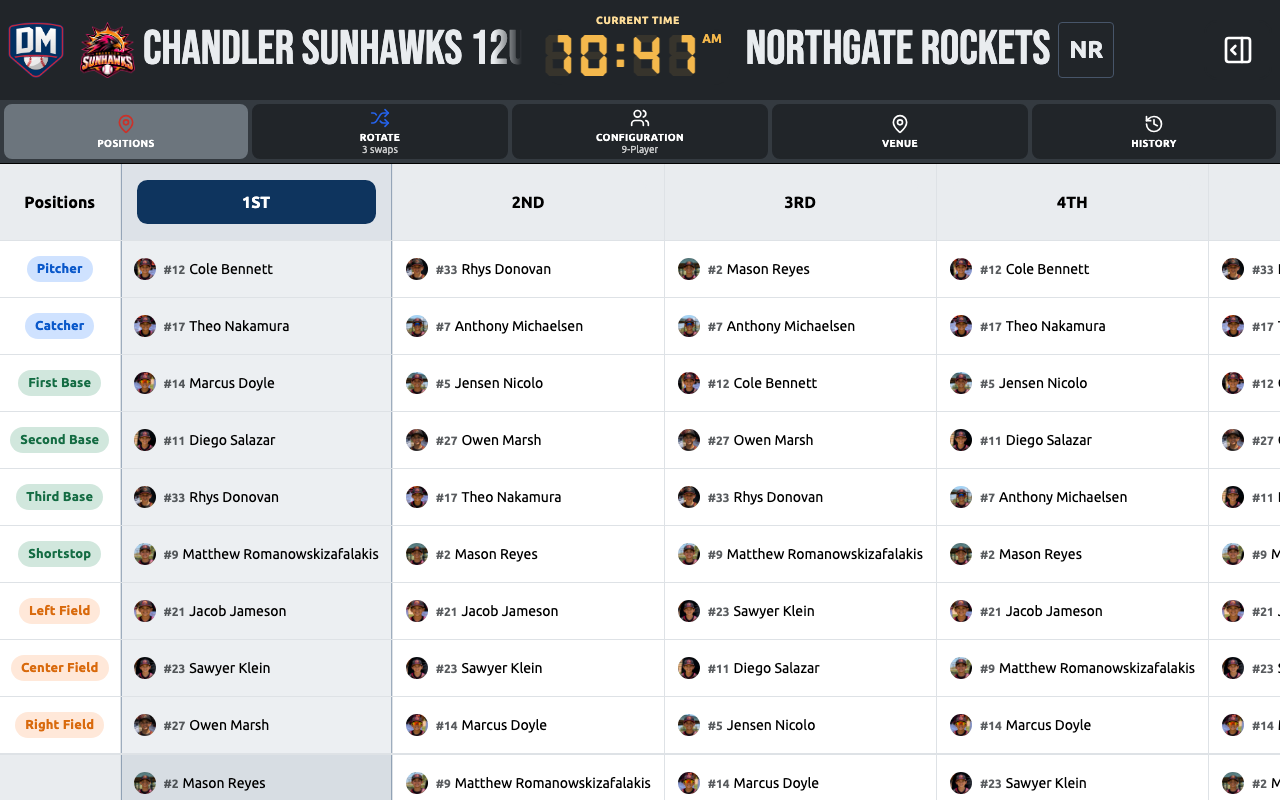
A field configuration determines which defensive positions are available on the lineup board for a given game or inning.
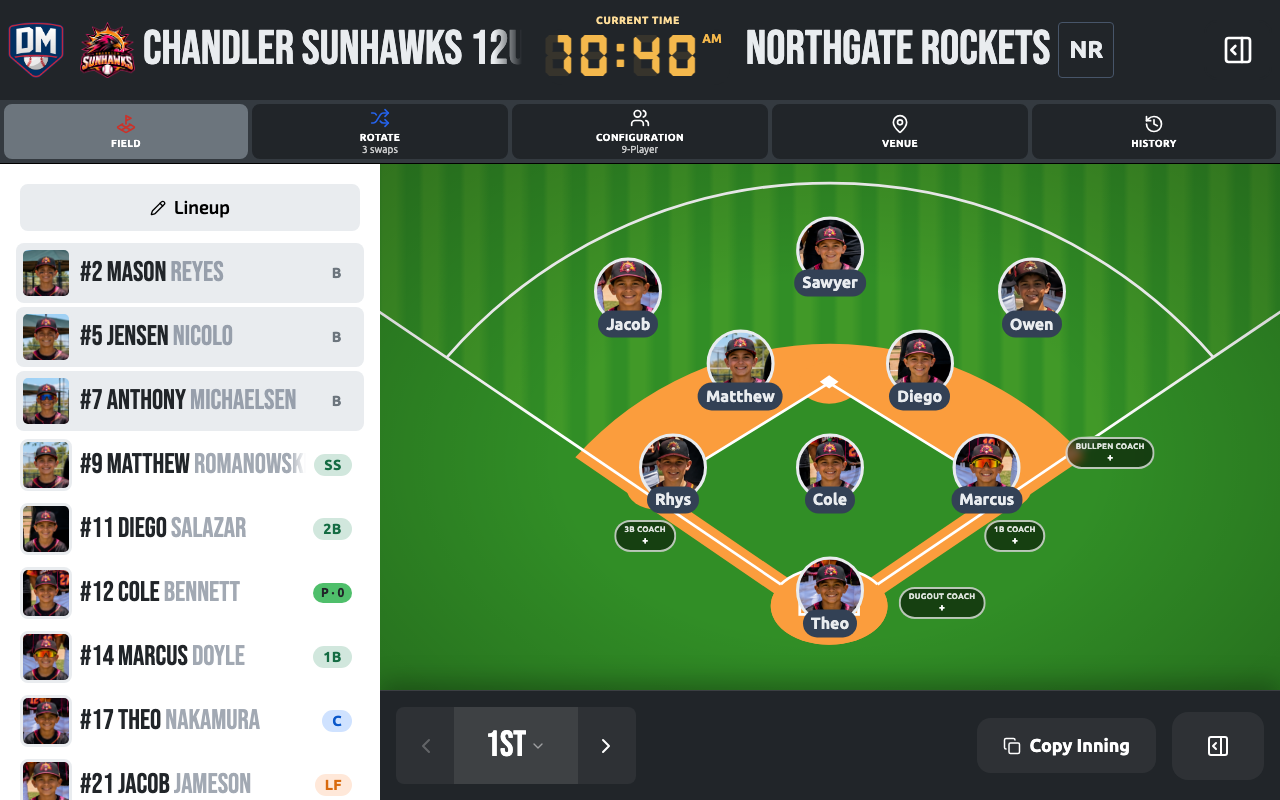
The field itself is crisp vector art, so it stays sharp at every screen size and prints cleanly, and it fills the whole panel as continuous turf — grass, mow stripes, and foul lines run to the edge instead of stopping at a rectangle, growing larger on bigger screens rather than leaving empty space around it.
Available configurations
Section titled “Available configurations”| Configuration | Positions |
|---|---|
| Standard (9) | P, C, 1B, 2B, 3B, SS, LF, CF, RF |
| 10-player | Adds an extra outfielder (LCF / RCF) |
| Rec league | Reduced set for smaller rosters |
Setting a configuration
Section titled “Setting a configuration”You choose a field configuration when you create a game. It applies to all innings by default.
You can override the configuration per inning on the lineup board — useful for games where fielding changes mid-game (e.g., you add a tenth fielder in later innings).
Per-inning overrides
Section titled “Per-inning overrides”On the lineup board, tap the inning settings gear icon to change the field configuration for that specific inning. Other innings are unaffected.
Enabled position keys
Section titled “Enabled position keys”Within a configuration, you can also toggle individual positions on or off. For example, if your league doesn’t use a Designated Hitter or a specific outfield slot, you can disable it so it doesn’t appear on the board.
Positions view
Section titled “Positions view”The Positions view (one of the game workspace views) is built around the field diagram: tap a position or a player to see details in a bottom-sheet panel, with the batting order tucked into an on-demand drawer so the field matrix gets the full screen. Moving a player between positions animates them sliding across the field rather than jumping straight to the new slot.